Protecting Your Online Identity: A Comprehensive Guide
With the rise of online activities, protecting your online identity has become a crucial aspect of modern life. Identity theft, financial scams, and online security breaches have become increasingly common, affecting millions of people worldwide. This article aims to provide a comprehensive guide on how to protect your online identity, ensuring a safer and more secure digital presence.
Understanding the Risks
Before we dive into the steps to protect your online identity, it's essential to understand the risks involved. Your online identity contains a wealth of personal and financial information, making it an attractive target for cybercriminals. Identity theft can lead to financial losses, credit damage, and even compromise your personal relationships. Recognizing the warning signs of identity theft is crucial in preventing and responding to online threats.
Warning Signs of Identity Theft:
- Unexplained charges on your credit cards or bank statements
- Receiving calls from unknown numbers or debt collectors
- Being unable to access your online accounts
- Receiving collections calls or notifications for accounts you don't owe
- Bills or notices with incorrect or misspelled names or addresses
- Missing credit card, loan, or bank statements
- Notices from a creditor or collection agency asking about an account you don't know about
Protecting Your Online Identity
Protecting your online identity requires a multifaceted approach, combining proactive measures, cybersecurity best practices, and awareness about online threats. Here are some essential steps to safeguard your digital life:
1. Use Strong Passwords
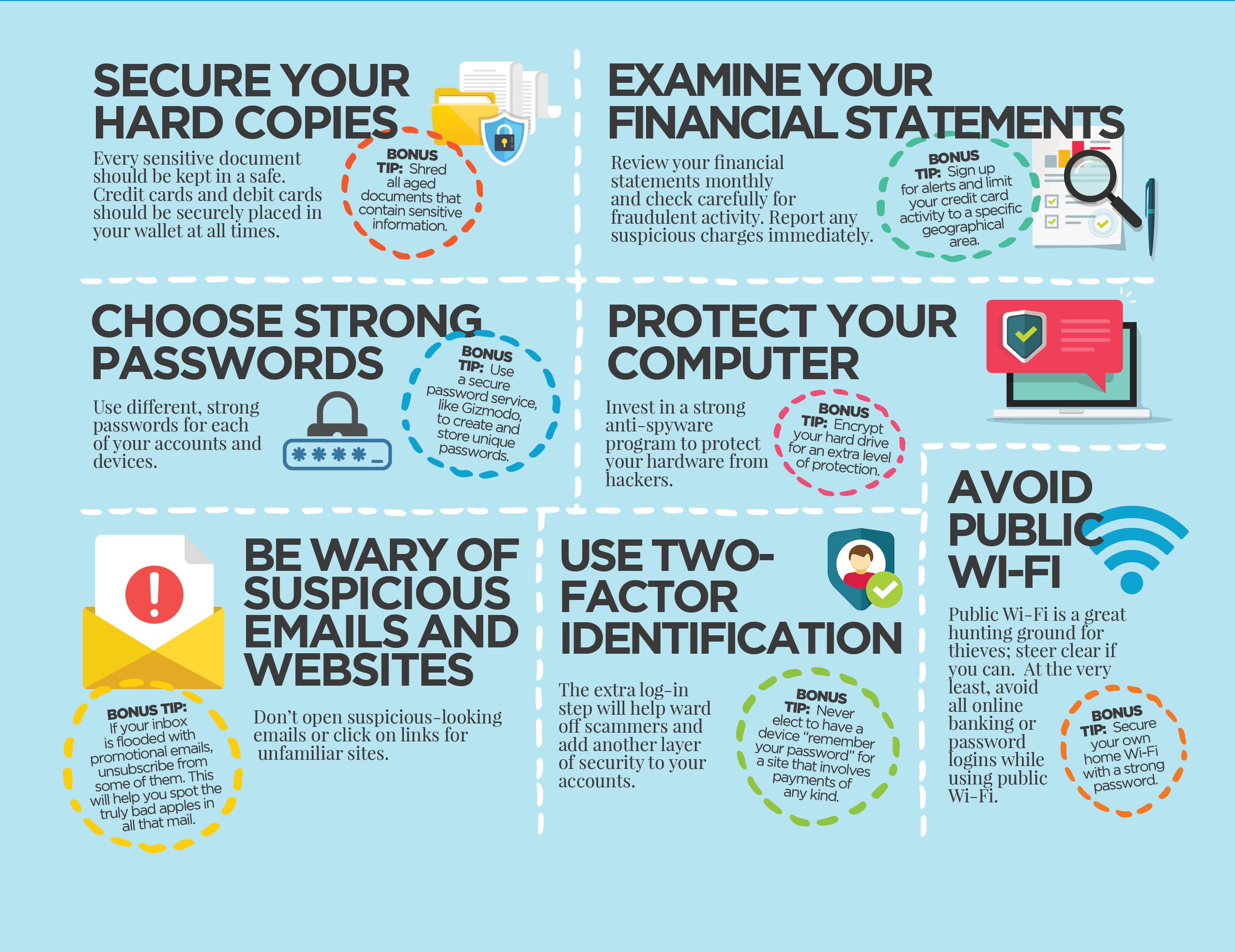
Use unique, complex passwords for each online account, combining uppercase and lowercase letters, numbers, and special characters. Avoid using easily guessable information, such as your name or birthdate. Consider using a password manager to securely store and generate strong passwords.
2. Enable Two-Factor Authentication
Two-factor authentication adds an extra layer of security by requiring a second form of verification, such as a code sent to your phone or a biometric scan. This prevents cybercriminals from accessing your online accounts even if they have your password.
3. Monitor Your Credit Reports
Regularly check your credit reports to detect any suspicious activity or errors. You can request free credit reports from each of the three major credit bureaus once a year through AnnualCreditReport.com.
4. Be Cautious with Public Wi-Fi
Public Wi-Fi networks can be a breeding ground for cyber threats. Avoid accessing sensitive information, such as online banking or financial accounts, when using public Wi-Fi. If you must access sensitive information, consider using a VPN to encrypt your internet traffic.





.jpg#keepProtocol "11 Key Ways to Protect Your Online Presence - Teal")