How to Learn Python Timing Functions
In the world of Python programming, understanding how long a function takes to execute is crucial. Function timing helps in optimizing code, comparing different algorithms, and identifying performance bottlenecks. In this article, we will explore the time module and various functions provided by this module with the help of good examples. The time module allows you to work with time in Python, and it provides functionality like getting the current time, pausing the program from executing, etc.
Introduction to the Time Module
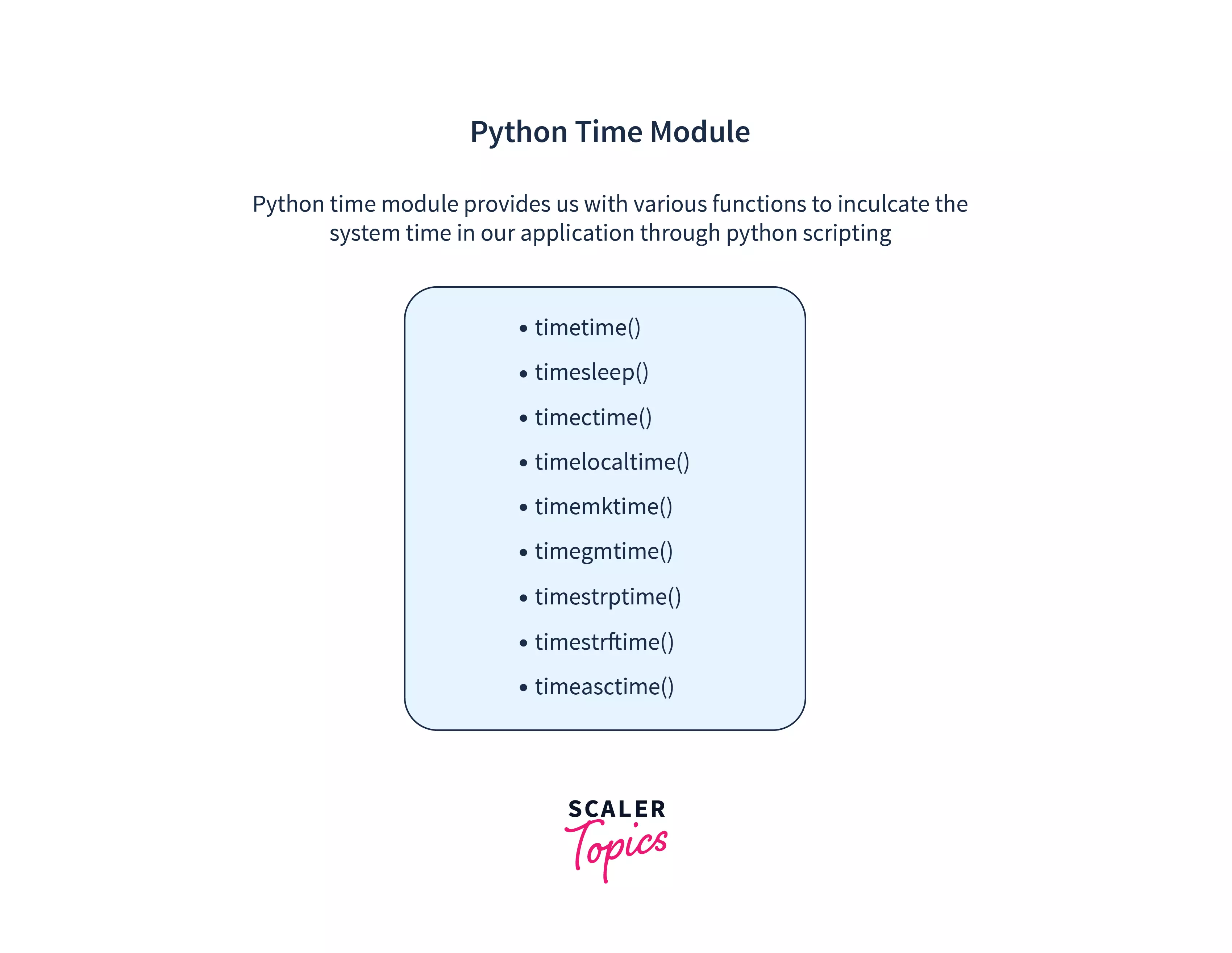
The time module in Python provides various functions for working with time values and delays. It allows you to measure elapsed time, add delays, format timestamps, or convert between time representations. The time module is a fundamental part of Python's standard library, and it is widely used in various applications.
How to Learn Python Timing Functions
To learn Python timing functions, you need to understand the time module and its various functions. Here are some key functions in the time module that you should know:
- time.time() : This function returns the current system time in seconds since the epoch (January 1, 1970).
- time.perf_counter() : This function returns the value (in fractional seconds) of a performance counter, which is a clock with the highest available resolution to measure a short duration. It does include time elapsed during sleep and is system-wide.
- time.process_time() : This function returns the sum of the system and user CPU time of the current process. It provides the total time spent executing the current process.
- time.sleep() : This function causes the program to pause execution for the given number of seconds. It is used to add delays in the program.
Method 1: Using the Time module
The time module provides various functions to work with time values and delays. You can use these functions to measure elapsed time, add delays, format timestamps, or convert between time representations. Here's an example of how to use the time module to measure the execution time of a function:
import time

def process_data():
    # Simulate data processing by sleeping for 2 seconds
    time.sleep(2)

start_time = time.time()
process_data()
end_time = time.time()
execution_time = end_time - start_time
print(f"Execution time: {execution_time} seconds")

Method 2: Using the Timeit Module
The timeit module is designed to allow Python developers to time small bits of Python code with a minimal amount of setup code. You can use the timeit module to measure the execution time of a function in a more efficient way. Here's an example of how to use the timeit module to measure the execution time of a function:
import timeit

def process_data():
    # Simulate data processing by sleeping for 2 seconds
    time.sleep(2)

execution_time = timeit.timeit('process_data()', number=1000)
print(f"Execution time: {execution_time} seconds")
Best Practices for Timing Functions in Python
Here are some best practices to keep in mind when timing functions in Python:
- Use the time.perf_counter() function to measure the execution time of a function. It provides the most accurate measurement of execution time.
- Use the time.sleep() function to add delays in the program.
- Use the time.strftime() function to format timestamps.
- Use the time.strptime() function to convert between time representations.
Conclusion
Timing functions in Python is an essential skill for any Python developer. The time module provides various functions to work with time values and delays. You can use these functions to measure elapsed time, add delays, format timestamps, or convert between time representations. In this article, we discussed the time module and various functions provided by this module with the help of good examples. We also discussed some best practices for timing functions in Python. With this knowledge, you can optimize your code, compare different algorithms, and identify performance bottlenecks.


![[Complete Guide to Timing in Python] Methods and Examples for ...](https://learnpython.com/blog/how-to-learn-python-fast/3.png "[Complete Guide to Timing in Python] Methods and Examples for ...")




![70+ Python Projects for Beginners [Source Code Included]](https://d8it4huxumps7.cloudfront.net/bites/wp-content/banners/2024/11/672c3a205545e_python_built-in_function__banner_.jpg?d=1200x800 "70+ Python Projects for Beginners [Source Code Included]")