Change Static IP Address: A Comprehensive Guide
In today's world, having a reliable and consistent internet connection is crucial for businesses and individuals alike. One way to achieve this is by setting up a static IP address. But what exactly is a static IP address, and how can you change it? In this article, we will explore the concept of static IP addresses, the benefits of using them, and provide step-by-step instructions on how to change a static IP address on various devices and platforms.
What is a Static IP Address?
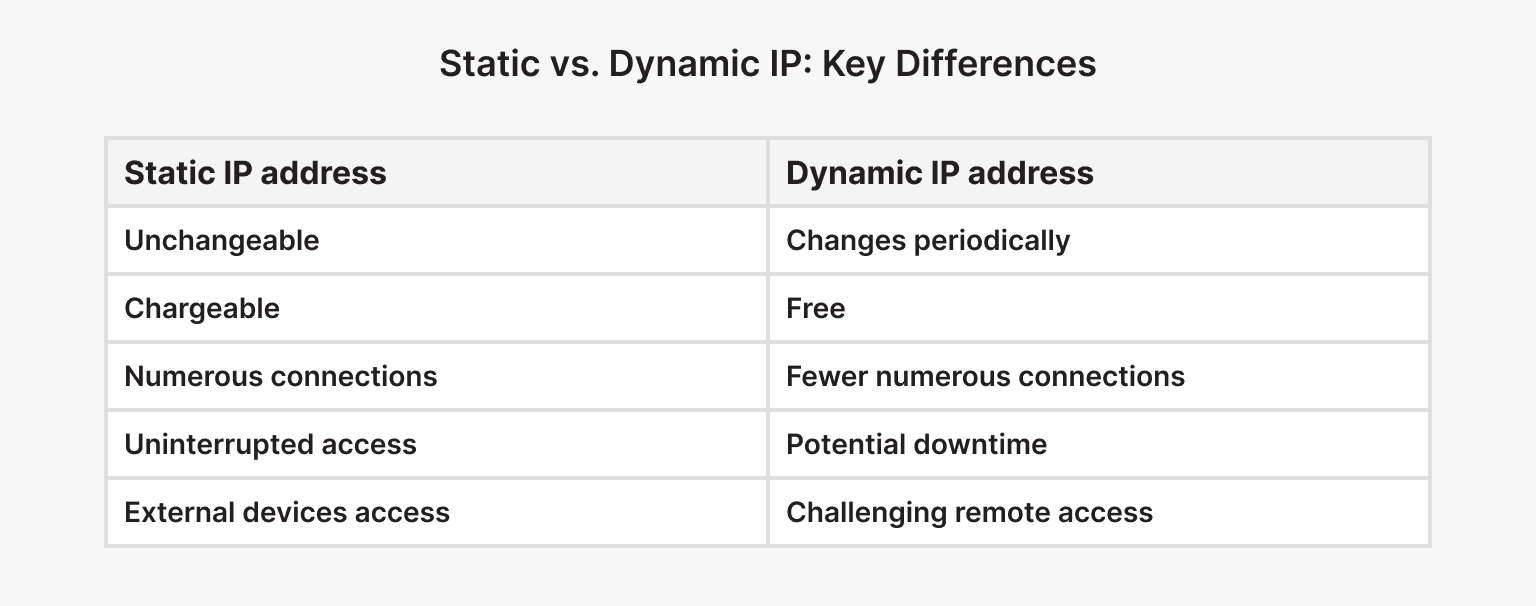
A static IP address is a permanent IP address assigned to a device or computer that does not change over time. Unlike dynamic IP addresses, which are automatically assigned by a network and can change every time the device connects, static IP addresses remain the same even after a reboot or reconnection.
Benefits of Using Static IP Addresses
Static IP addresses offer several benefits, including:
- Reliable and consistent internet connection
- Easier network management and troubleshooting
- Improved security and firewall configurations
- Enhanced compatibility with certain applications and services
How to Change a Static IP Address on Windows 10
Changing a static IP address on Windows 10 is a relatively straightforward process. Here are the steps to follow:
Method 1: Using the Settings App
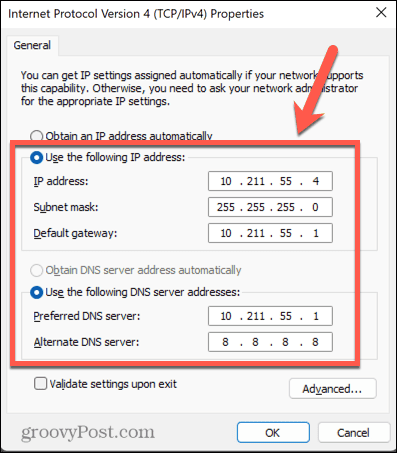
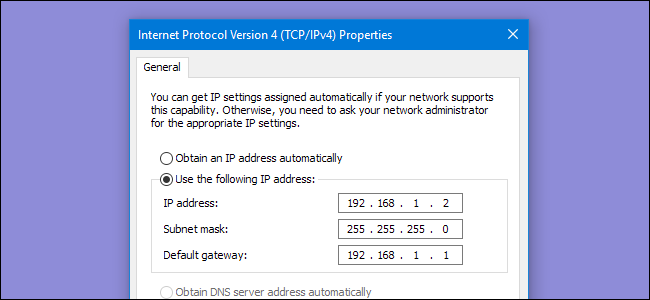
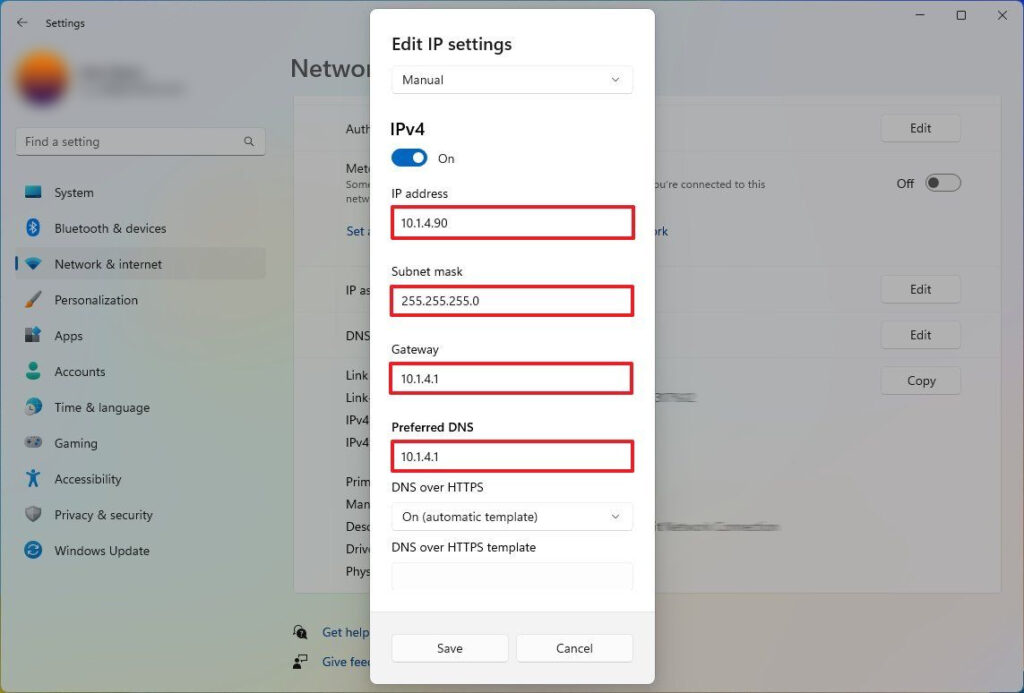
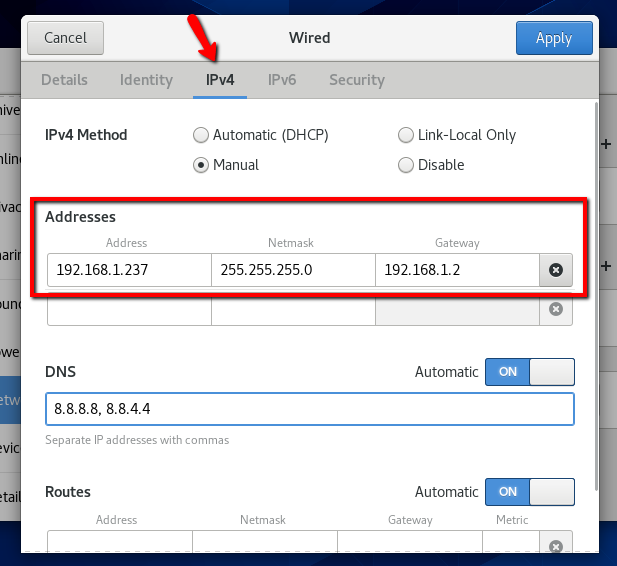
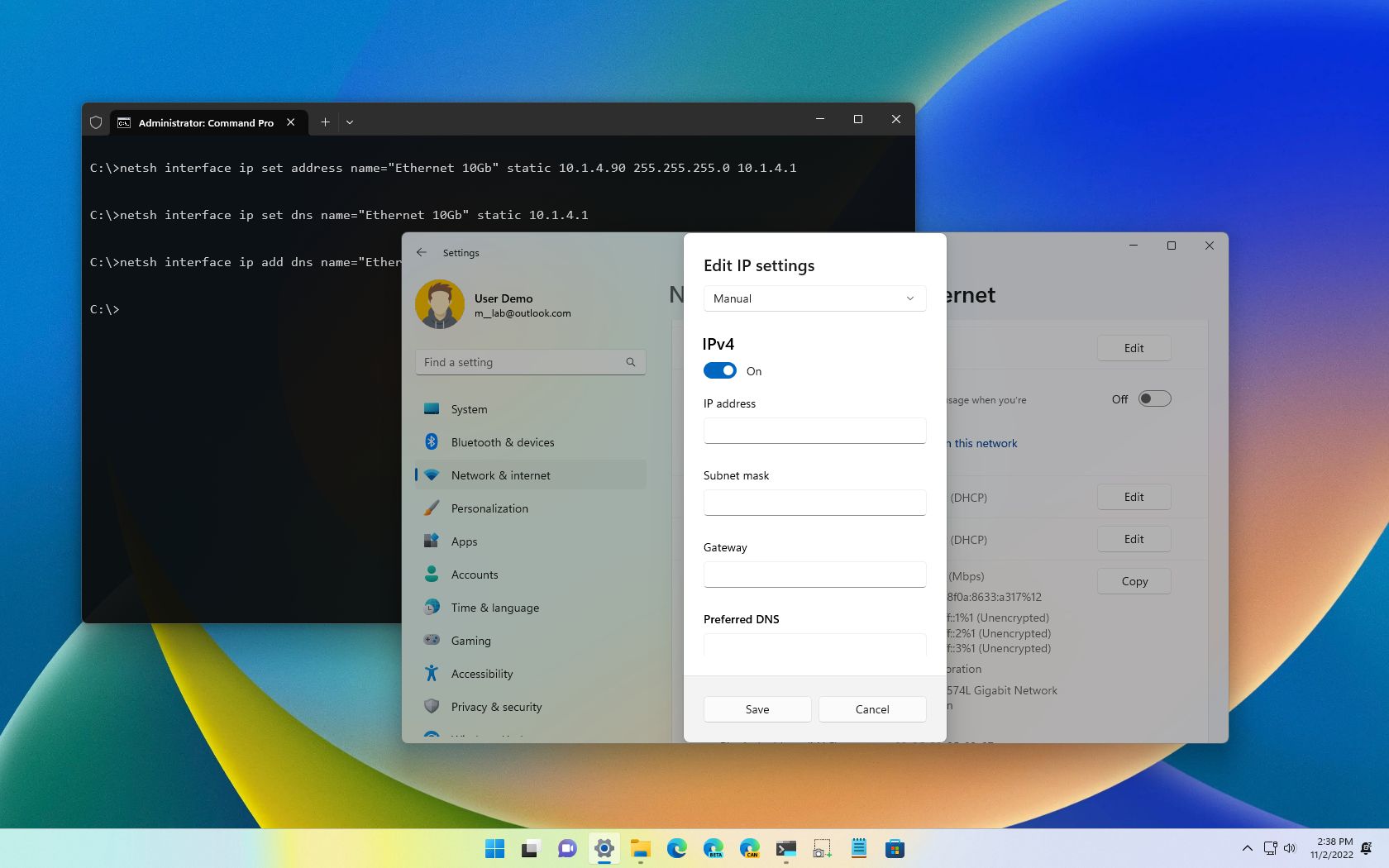
1. Go to Settings > Network & Internet > Ethernet or Wi-Fi (depending on your connection type) 2. Click on the network connection you want to change 3. Click on the "Properties" button 4. Scroll down to the "TCP/IPv4" or "TCP/IPv6" section 5. Click on the "Properties" button next to it 6. Select "Use the following IP address" and enter your static IP address, subnet mask, default gateway, and DNS server addresses 7. Click "OK" to save the changes
Method 2: Using Command Prompt or PowerShell
1. Open Command Prompt or PowerShell as an administrator
2. Type "netsh int ip set address
How to Change a Static IP Address on Other Devices and Platforms
The process of changing a static IP address on other devices and platforms may vary slightly. Here are some additional instructions:

Android Devices
1. Go to Settings > Wi-Fi > Advanced Options > Static 2. Enter your static IP address, subnet mask, default gateway, and DNS server addresses 3. Save the changes
iOS Devices
1. Go to Settings > Wi-Fi > Static IP 2. Enter your static IP address, subnet mask, default gateway, and DNS server addresses 3. Save the changes
Router Configuration
1. Log in to your router's web interface 2. Go to the "LAN" or "Local Network" section 3. Look for the "Static IP Address" or "IP Address Assignment" option 4. Enter your static IP address, subnet mask, default gateway, and DNS server addresses 5. Save the changes
Conclusion
Changing a static IP address can be a bit tricky, but with these step-by-step instructions, you should be able to do it with ease. Remember to always backup your current IP address configuration before making any changes to avoid any potential issues. If you're still unsure or need further assistance, don't hesitate to reach out to your internet service provider or a network administrator for help.
Frequently Asked Questions
Q: What is a static IP address?
A: A static IP address is a permanent IP address assigned to a device or computer that does not change over time.
Q: What are the benefits of using static IP addresses?
A: Static IP addresses offer several benefits, including reliable and consistent internet connection, easier network management and troubleshooting, improved security and firewall configurations, and enhanced compatibility with certain applications and services.






![[Wireless Router] How to manually assign LAN IP around the DHCP list ...](https://www.lifewire.com/thmb/6CcsBjIWACVlMfjoorDVK2LWji4=/1249x810/filters:no_upscale():max_bytes(150000):strip_icc()/004_change-your-ip-address-818150-5c65bef646e0fb00011e9961.jpg "[Wireless Router] How to manually assign LAN IP around the DHCP list ...")