Basic VPN Setup for Beginners: A Comprehensive Guide
Introduction
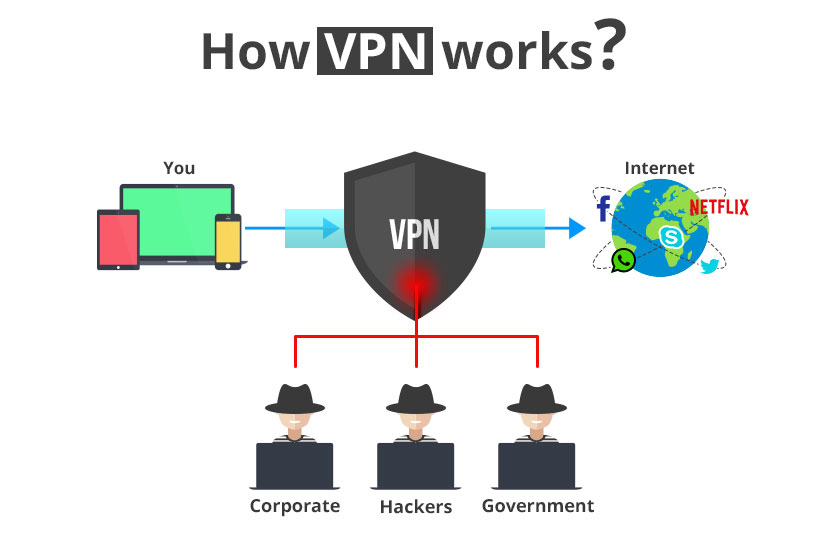
Virtual Private Networks (VPNs) have become an essential tool for internet users seeking online security and privacy. With a VPN, you can encrypt your internet traffic, hide your IP address, and access geo-blocked content from anywhere in the world. In this article, we will guide you through a basic VPN setup for beginners, ensuring you can securely browse the internet and access your favorite streaming services without worrying about online threats.
Why Do I Need a VPN?
A VPN is a virtual private network that creates a secure and encrypted connection between your device and the internet. This connection is essential for online security and privacy. In a world where data breaches and hacking are rampant, a VPN can protect your personal data and online activities from prying eyes.
- Hide your IP address and location
- Encrypt your internet traffic
- Access geo-blocked content
- Protect your personal data and online activities
Choosing the Right VPN for Beginners
When choosing a VPN, you should consider several factors, including
- Strong security features: Look for a VPN that offers 256-bit AES encryption, a verified no-logs policy, and a kill switch to protect your data and online activities.
- Easy-to-use interface: Choose a VPN with an intuitive interface that makes it easy to connect and disconnect from the VPN.
- Server locations: Opt for a VPN with servers located in various countries to access geo-blocked content.
- Speed and performance: Select a VPN that offers fast and reliable speeds to ensure seamless browsing and streaming.
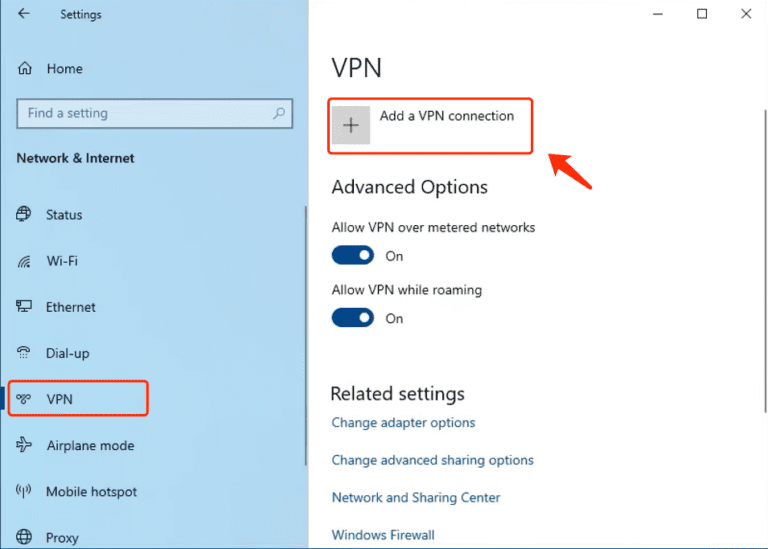
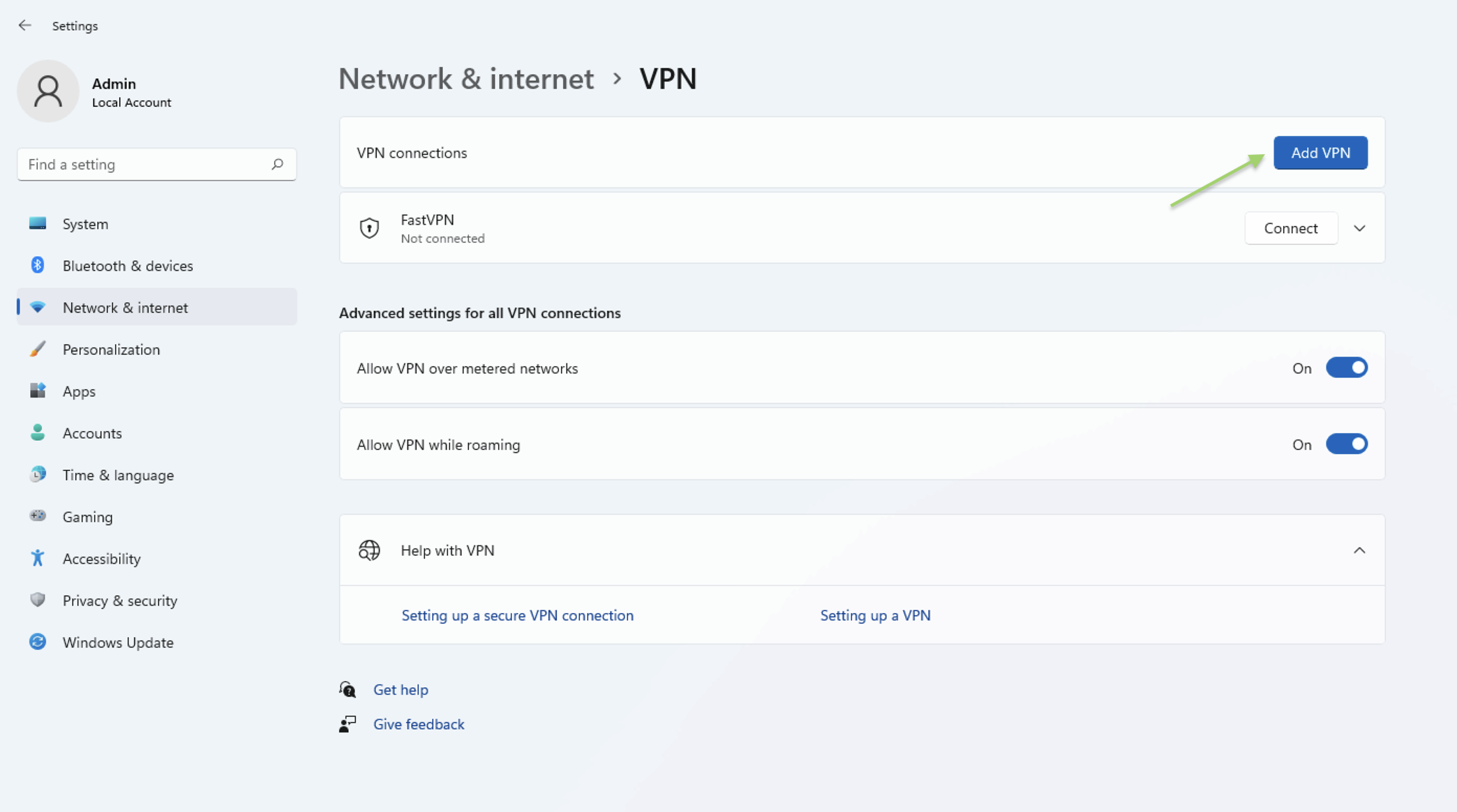
Setting Up a VPN on Windows
To set up a VPN on Windows, follow these simple steps:
- Download and install the VPN app from the official website or a reputable store.
- Launch the app and sign in with your username and password.
- Connect to a VPN server by selecting a server location from the list.
- Verify that you are connected to the VPN by checking the VPN indicator in the system tray.
Setting Up a VPN on Mac
To set up a VPN on Mac, follow these simple steps:
- Download and install the VPN app from the official website or a reputable store.
- Launch the app and sign in with your username and password.
- Connect to a VPN server by selecting a server location from the list.
- Verify that you are connected to the VPN by checking the VPN indicator in the status bar.
Setting Up a VPN on Android and iOS
To set up a VPN on Android or iOS, follow these simple steps:
- Download and install the VPN app from the official website or a reputable store.
- Launch the app and sign in with your username and password.
- Connect to a VPN server by selecting a server location from the list.
- Verify that you are connected to the VPN by checking the VPN indicator in the notification area.
Setting Up a VPN on Your Router
To set up a VPN on your router, follow these simple steps:
- Access your router's web interface by typing its IP address in a web browser.
- Navigate to the VPN settings page and enable the VPN feature.
- Select a VPN protocol and configure the VPN settings.
- Save the changes and restart the router.
Conclusion
Setting up a VPN is a relatively simple process that can provide you with enhanced online security and privacy. Follow the basic VPN setup for beginners outlined in this article, and you will be able to securely browse the internet and access geo-blocked content from anywhere in the world.
![Best VPN For Beginners in 2026 [Basic Guide to VPNs] - Cloudwards](https://assets.bytebytego.com/diagrams/0052-how-a-vpn-works.png "Best VPN For Beginners in 2026 [Basic Guide to VPNs] - Cloudwards")