How to Start a YouTube Channel: A Step-by-Step Guide
Are you ready to start your own YouTube channel and share your ideas, creativity, or expertise with the world? Look no further! In this article, we'll take you through the basics of how to start a YouTube channel and provide you with valuable tips and insights on how to create a successful YouTube channel.Why Start a YouTube Channel?
YouTube is the second most popular website in the world after Google, with over 2 billion monthly active users. With the platform's vast user base and versatile content, YouTube has become an excellent platform for individuals and businesses to connect with their target audience, share their expertise, and even earn a living. Whether you're a hobbyist, a entrepreneur, or a professional, starting a YouTube channel can help you reach your goals and build your personal brand.Step 1: Create a YouTube Account
Before you start creating your channel, you'll need to set up a YouTube account. To sign up for a YouTube account, follow these steps:- Go to the YouTube website and click on the "Sign in" button in the top right corner.
- Click on the "Create account" button and fill out the required information, including your email address, password, and other basic details.
- Verify your account by clicking on the verification link sent to your email address.
Step 2: Set Up Your Channel
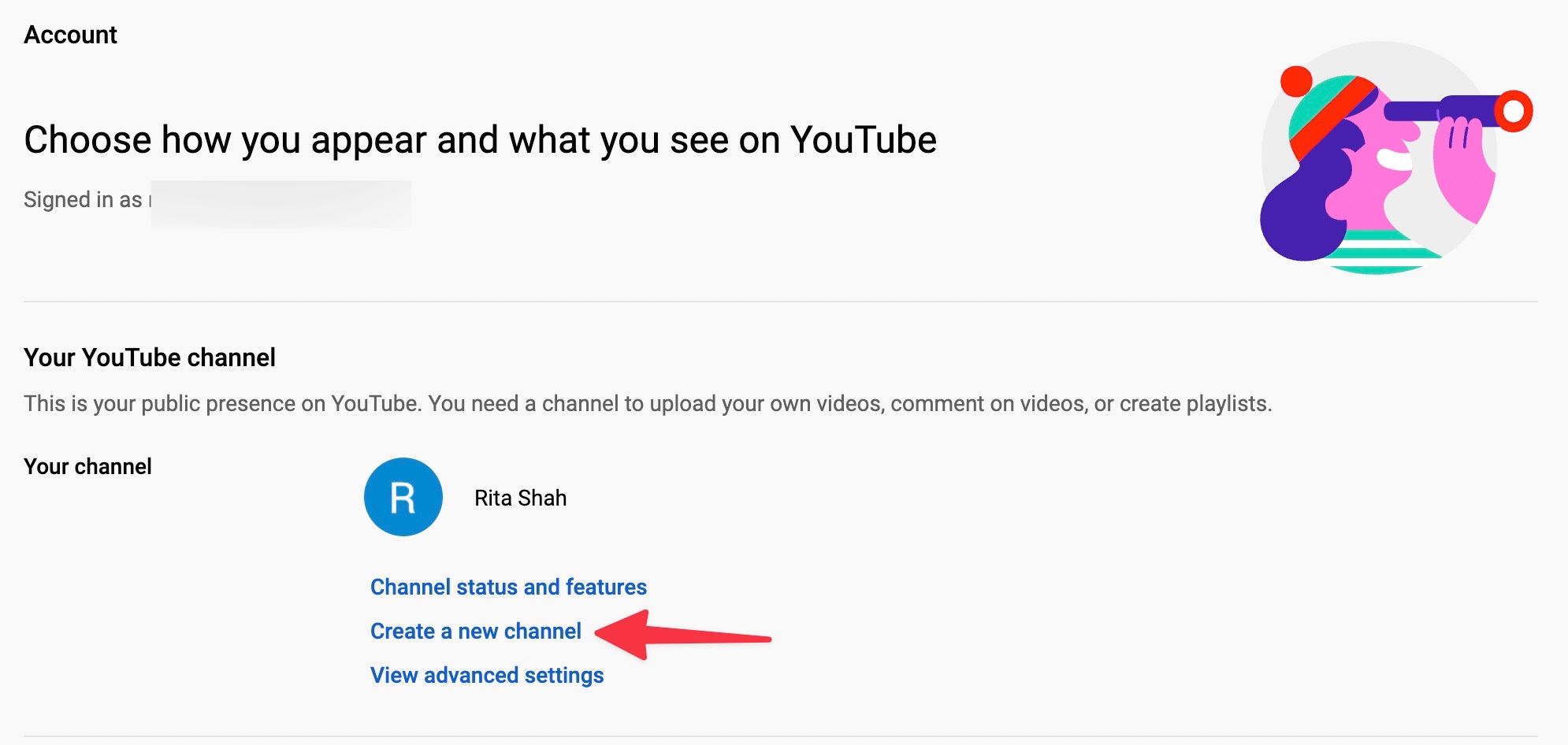
Once you've created a YouTube account, it's time to set up your channel. Here's what you need to do:- Click on your profile picture in the top right corner of the YouTube homepage and select "Settings".
- Click on the "Create channel" button under the "Channel" tab.
- Select a name and description for your channel, and choose a profile picture and banner image that represents your brand.
- Customize your channel's layout, colors, and other settings to create a unique and inviting atmosphere for your viewers.
Step 3: Plan Your Content
Before you start creating content, it's essential to plan your strategy. This includes:- Deciding on the type of content you want to create, such as vlogs, tutorials, reviews, or educational content.
- Developing a content calendar to ensure you publish content regularly and meet your audience's expectations.
- Creating a content creation schedule to plan and organize your content.
- Writing high-quality scripts, titles, and descriptions to engage your audience and optimize your videos for search.
Step 4: Invest in Equipment and Software
While you don't need the most expensive equipment to start a YouTube channel, investing in good quality cameras, microphones, and editing software can make a significant difference in the quality of your content. Here's a gear list to get you started:- Camera: A good quality camera that can record 1080p or 4K video.
- Microphone: A lavalier or shotgun microphone for clear and crisp audio.
- Lighting: Good quality lighting to ensure your videos are well-illuminated and visually appealing.
- Editing software: Adobe Premiere, Final Cut Pro, or DaVinci Resolve for video editing.
Step 5: Record and Edit Your Videos
Once you have your gear and software, it's time to start recording and editing your videos. Here are some tips to keep in mind:- Invest in good quality recording equipment to capture clear and crisp audio and video.
- Use good lighting to ensure your videos are well-illuminated and visually appealing.
- Follow your content strategy and script to engage your audience and optimize your videos for search.
- Edit your videos to make them visually appealing, with good pacing, transitions, and color correction.
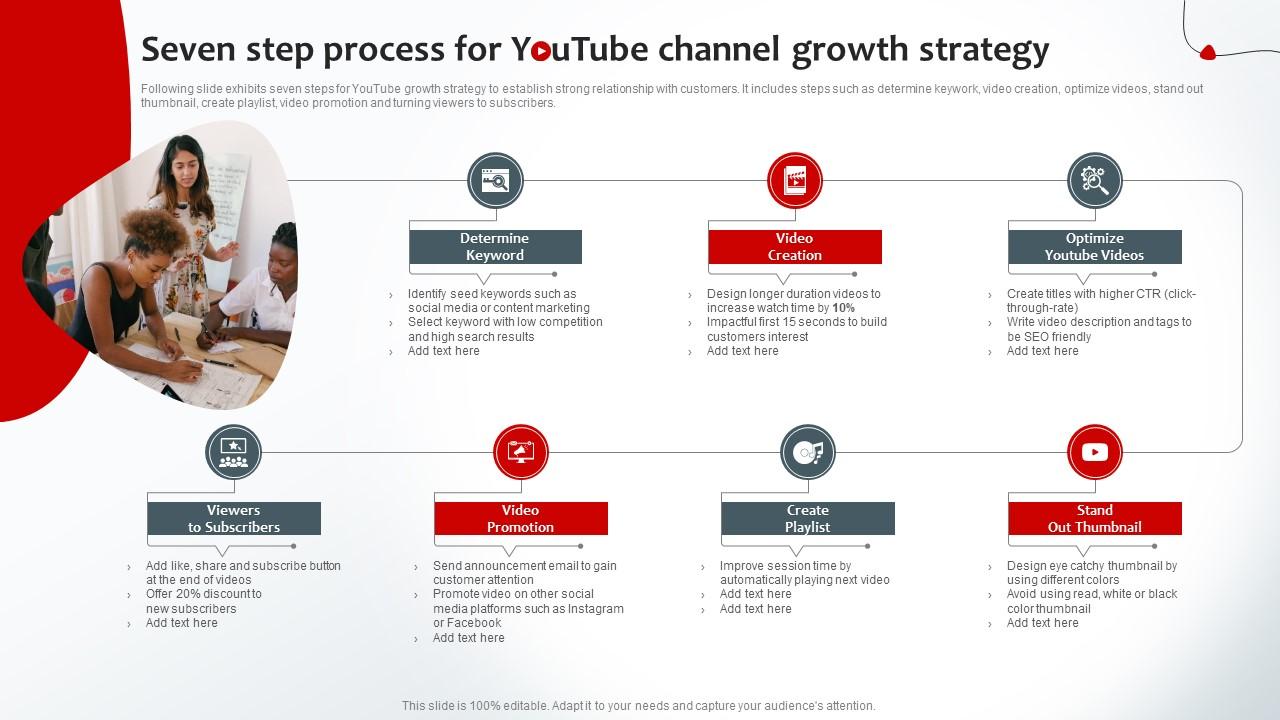
Step 6: Publish and Promote Your Videos
Once you've created and edited your videos, it's time to publish and promote them. Here are some tips to keep in mind:- Optimize your video titles, descriptions, and tags to make them appear in search results.
- Upload your videos in high-quality format to ensure they play smoothly.
- Engage with your audience by responding to comments, answering questions, and hosting live streams.
- Promote your videos on social media platforms to reach a wider audience.