How to Set Up WiFi Network in Condo: A Step-by-Step Guide
Are you a first-time condo owner moving into a new apartment? Do you need to set up a WiFi network in your condo but don't know where to start? Worry no more! In this comprehensive guide, we'll walk you through the steps required to set up a reliable and fast internet connection in your new condo.
Step 1: Choose the Right Internet Service Provider
The first step in setting up a WiFi network in your condo is to choose the right internet service provider (ISP). With various providers to choose from, it can be overwhelming to decide which one to go with. Here are some factors to consider when selecting an ISP:
- Package Options: Consider the types of internet plans offered by the ISP, including speed tiers, data caps, and contract lengths.
- Coverage Area: Ensure the ISP covers your condo complex or area and has a good reputation for reliable service.
- Customer Support: Look for ISPs with responsive customer support, including online chat, email, or phone assistance.
- Reviews and Ratings: Research the ISP's reputation online, reading reviews and ratings from other customers.
Step 2: Scheduling Installation
Once you've chosen an ISP, schedule the installation of your internet and WiFi services. Most ISPs offer scheduling options online or by phone. Be sure to ask about the installation process, including any potential fees or expenses.
Step 3: Setting Up Your WiFi Network
After installation, it's time to set up your WiFi network. This involves:
- Configuring Your Router: Follow the manufacturer's instructions to set up your router, including setting up the basic network settings, such as Wi-Fi SSID and password.
- Connecting Devices: Connect your devices, such as laptops, smartphones, and smart home devices, to your WiFi network using the provided credentials.
- Securing Your Network: Ensure your network is secured with WPA2 encryption and a strong password to prevent unauthorized access.

Step 4: Optimizing Your WiFi Network
For optimal performance, ensure your WiFi network is set up correctly. Here are some tips:
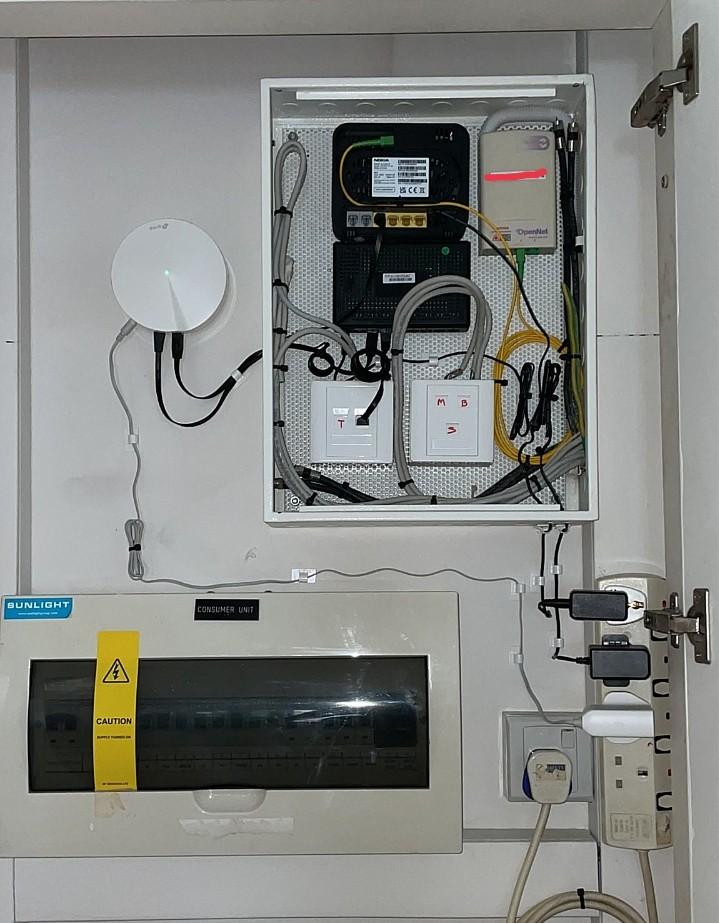
- Router Placement: Place your router in a central location to ensure even coverage throughout your condo.
- Channel Selection: Choose the best channel for your network to minimize interference from other devices.
- QoS Settings: Configure Quality of Service (QoS) settings to prioritize critical applications, such as video streaming or online gaming.
Conclusion
Setting up a WiFi network in condo can seem daunting, but by following these steps, you'll be connected to the internet in no time. Remember to choose the right ISP, schedule installation, set up your router, and optimize your network for optimal performance. Happy Wi-Fi-ing!
Additional Tips and Resources
Here are some additional tips and resources to help you set up your WiFi network:
- Use a Powerline Router: A Powerline router can boost your WiFi signal and provide a more stable connection.
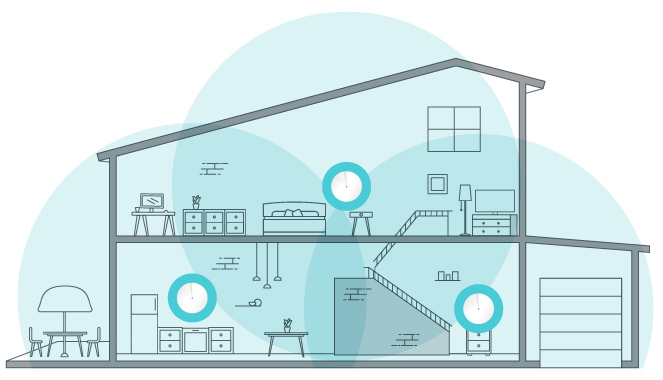
- Consider a Mesh Network: A mesh network can provide seamless coverage throughout your condo, eliminating dead zones and dropped connections.
- Change Your Wi-Fi Password Regularly: Update your network password every 60-90 days to maintain security.
- Use Wi-Fi Analyzer Apps: Tools like Wi-Fi Analyzer can help you optimize your network by identifying the best channel and avoiding overlap with nearby networks.
-Connection-Step-6-Version-5.jpg/aid1756116-v4-728px-Set-up-a-Wireless-Network-(WiFi)-Connection-Step-6-Version-5.jpg "How to Get Internet in a New Apartment: A Step-by-Step Guide")

-Connection-Step-3-Version-4.jpg/v4-460px-Set-up-a-Wireless-Network-(WiFi)-Connection-Step-3-Version-4.jpg "How to Set Up Wi-Fi in a New Apartment - Bay Property Management Group")