Setting Up Home Router: A Comprehensive Guide
Getting your new wireless router set up doesn't need to be complicated. With the advancements in technology, setting up a home router has become easier than ever. Whether you're a beginner or a tech-savvy individual, this comprehensive guide will walk you through the process of setting up a home router, from connecting your modem to securing your Wi-Fi network.
Step 1: Unpacking and Physical Setup
- Begin by unpacking your router and all the necessary accessories, such as the power cord, Ethernet cables, and any additional antennae.
- Place the router in a central location to ensure even coverage throughout your home.
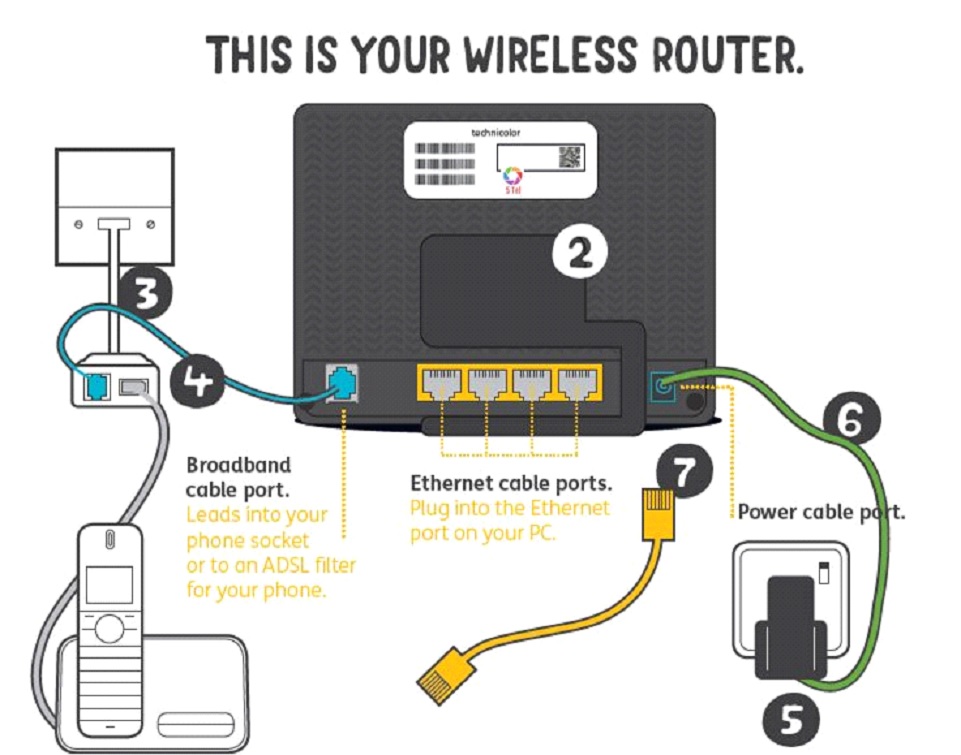
- Connect the power cord to the router and plug it into a nearby power outlet.
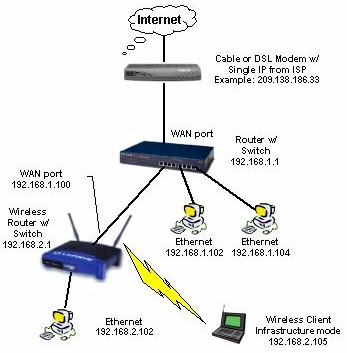
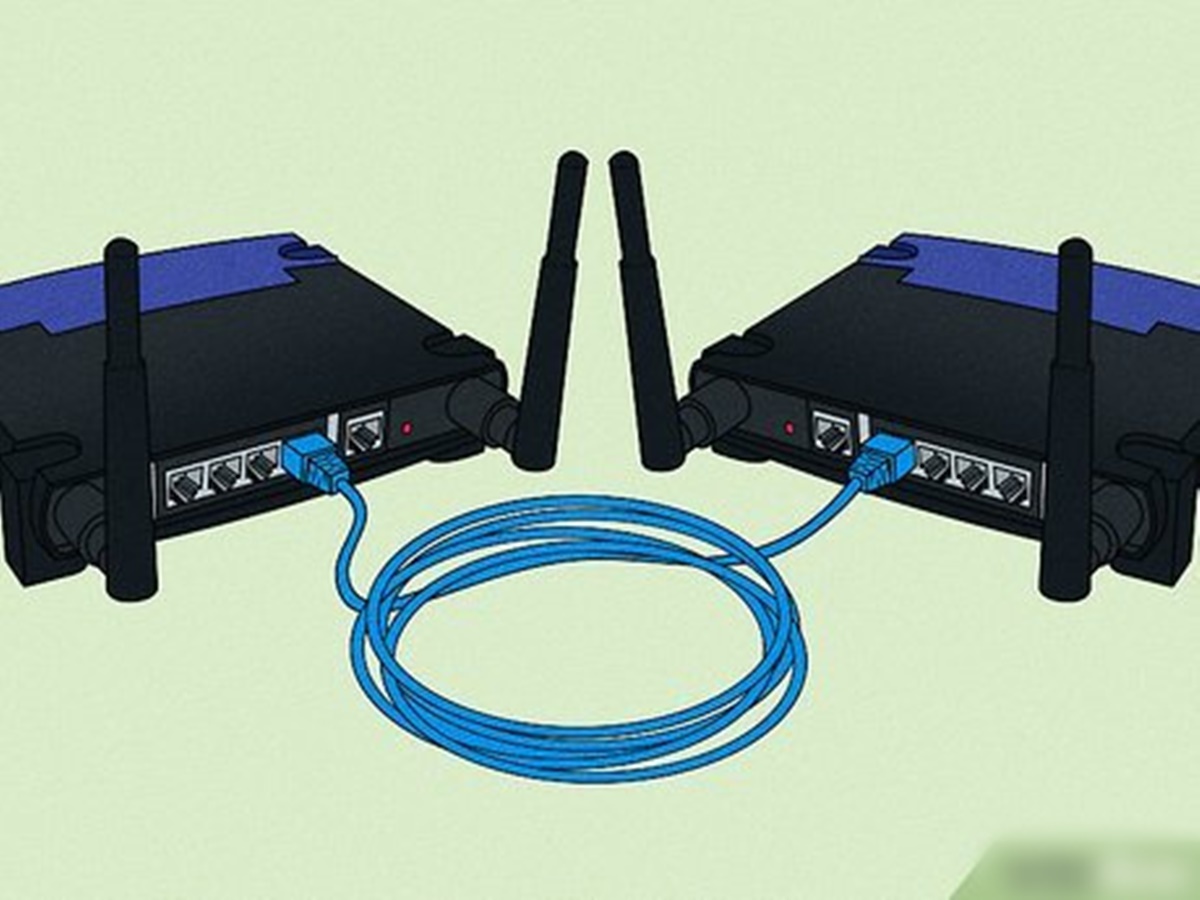
- Connect your modem to the router's WAN or internet port.
Step 2: Configuring the Router's Settings
- Access the router's settings through a web browser by typing the router's IP address, which is usually 192.168.0.1 or 192.168.1.1.
- Log in to the router using the default username and password, which can usually be found on the underside of the router or in the user manual.
- Change the default username and password to a strong and unique combination to ensure the security of your network.
- Configure your Wi-Fi network name (SSID) and password to ensure secure access to your network.
Step 3: Securing Your Wi-Fi Network
- Enable WPA2 encryption to ensure secure access to your network.
- Set up a guest network to provide a separate network for guests and IoT devices.
- Configure Quality of Service (QoS) settings to prioritize traffic on your network.
- Update your router's firmware regularly to ensure the latest security patches and features.

Step 4: Testing and Optimization
- Test your internet connection to ensure stable and fast speeds.
- Use the router's built-in tools to identify and resolve any connectivity issues.
- Optimize your router's settings to ensure optimal performance and range.
- Consider using a Wi-Fi analyzer app to optimize your router's channel and frequency settings.
Conclusion
Setting up a home router is a straightforward process that requires attention to detail and a basic understanding of networking concepts. By following the steps outlined in this guide, you'll be able to set up a secure and stable Wi-Fi network in your home, ensuring optimal performance and protection for all your devices.
Related Resources
- TP-Link Router Setup: A Step-by-Step Guide
- Linksys Velop Mesh System: Optimization and Troubleshooting Guide
- Setting Up a Router for Kodi: A Beginner's Guide
- Router Security Best Practices: A Comprehensive Guide
By following the tips and tricks outlined in this guide, you'll be able to set up a home router that meets your needs and provides a secure and stable internet connection for all your devices.





:max_bytes(150000):strip_icc()/3-5abcf226fa6bcc0036668782.png "The 5 Best Wi-Fi Routers of 2026 - RTINGS.com")