How to Stay Safe on Public Wi-Fi: Essential Tips for Secure Connectivity
Public Wi-Fi is a convenient and widely available option for staying connected on the go. However, it also poses significant risks to your personal and financial data. With the advent of modern technology, cyber threats have become increasingly sophisticated, making it crucial to adopt solid cybersecurity habits when using public Wi-Fi networks.
Why Public Wi-Fi is a Risky Business
The Federal Trade Commission (FTC) warns that because of widespread Wi-Fi usage, "the potential for eavesdropping on sensitive communications, unauthorized access to data, and identity theft is substantial." When you connect to a public Wi-Fi network, you unknowingly open yourself up to man-in-the-middle attacks, phishing scams, and virus infections.
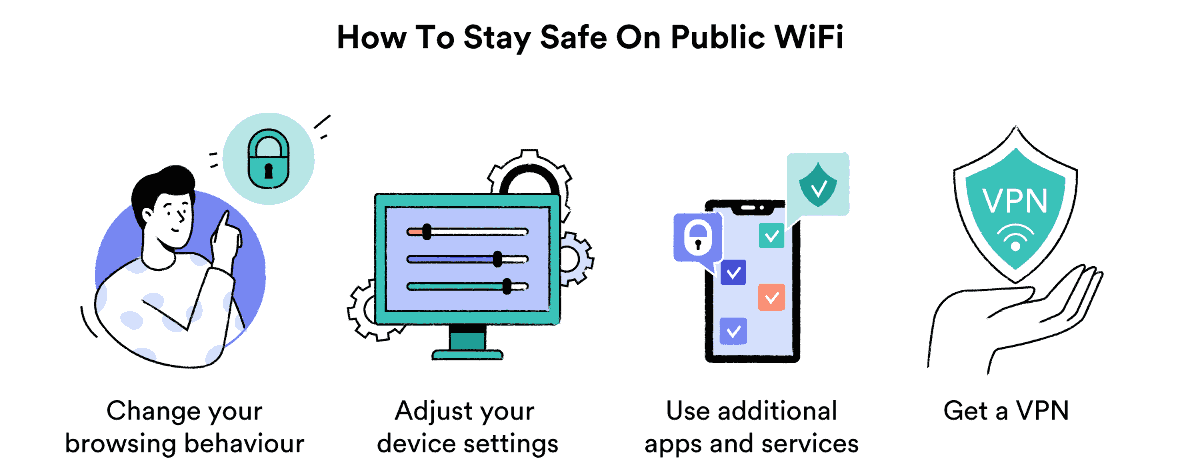
Protect Yourself with These Simple Steps
1. Verify the Network Name and Owner
Before connecting to a public Wi-Fi network, ensure that it's legitimate by checking the network name and owner (usually written on a sign or displayed on the network's website). Be cautious of suspicious or unsecured networks, as they may be honeypots or fake networks set up by scammers.
2. Use a Virtual Private Network (VPN)
A VPN encrypts your internet traffic, shielding your data from hackers and trackers. When using a VPN, your internet activity appears as though it's coming from the VPN server rather than your device, making it much harder for others to intercept your data.
3. Turn Off Auto-Connect
Many devices automatically connect to open Wi-Fi networks, making it easier for hackers to access your data. To stay safe, turn off your device's auto-connect feature and manually connect only to trusted networks.
4. Use Strong Passwords and Multi-Factor Authentication
Even if you're using a VPN, weak passwords can put your data at risk. Utilize strong, unique passwords and enable multi-factor authentication whenever possible to prevent unauthorized access to your accounts.

5. Keep Your Devices Up-to-Date
Regularly update your operating system, browser, and other software to ensure you have the latest security patches and protection against known vulnerabilities.
6. Avoid Sensitive Activities
When using public Wi-Fi, it's best to avoid accessing sensitive information, such as online banking, email, or social media accounts, unless you have a VPN enabled.
7. Use Secure Connections When Possible
When available, opt for secure, password-protected networks, which are usually designated as "secured" or "paid" on the network list.
Staying Safe on Public Wi-Fi: Tips for the Modern Era
While the risks associated with public Wi-Fi are well-documented, many people remain unaware of these threats or fail to take necessary precautions. To stay safe on public Wi-Fi in the modern era, educate yourself and implement the habits mentioned above. Regularly reassess your cybersecurity practices to stay vigilant against emerging threats and ensure your data remains secure when accessing public networks.
Best Practices for Safer Wi-Fi Usage
- Encrypt your data whenever using public Wi-Fi with a VPN.
- Conduct online research or social media browsing is fine, but avoid sensitive data exposure.
- Keep your devices and software up-to-date.
- Verify the legitimacy and security of public networks before connecting.
- Use secure and strong passwords and enable multi-factor authentication.
Conclusion
Signing up for public Wi-Fi without taking necessary precautions can put your data at risk of theft and compromise your online security. However, with a few simple habits and the right tools, you can minimize the risk associated with public Wi-Fi networks. Stay informed, vigilant, and prepared to navigate the complex world of public Wi-Fi safely.