Computer User Eye Strain: Causes, Symptoms, and Prevention Strategies
Are you tired of feeling like your eyes are on fire after a long day of staring at your computer screen? Do you experience blurred vision, headaches, and dry, irritated eyes after prolonged screen time? You're not alone. Computer user eye strain, also known as computervision syndrome or digitaleyestrain, is a common condition that affects millions of people worldwide.
What is Computer User Eye Strain?
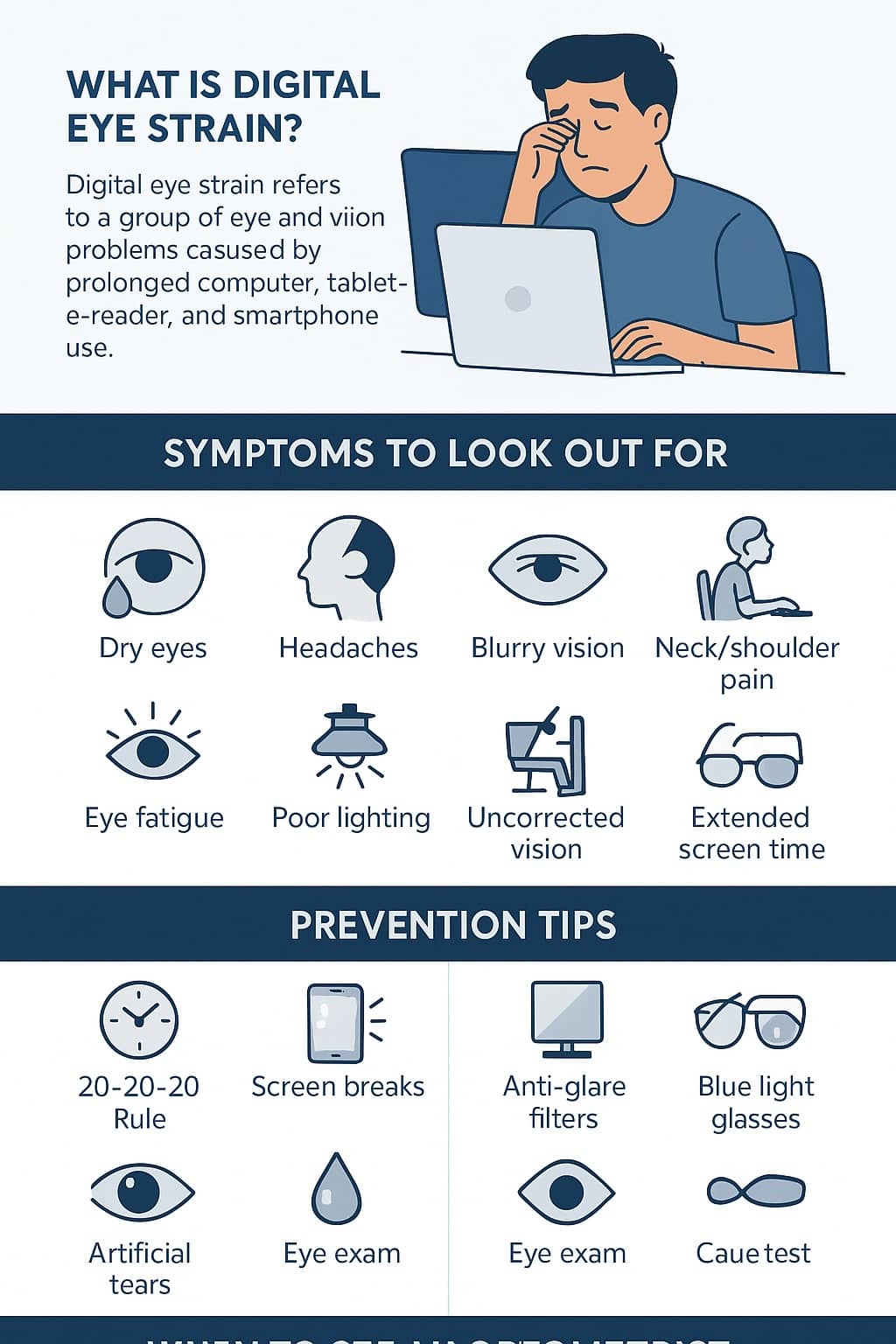
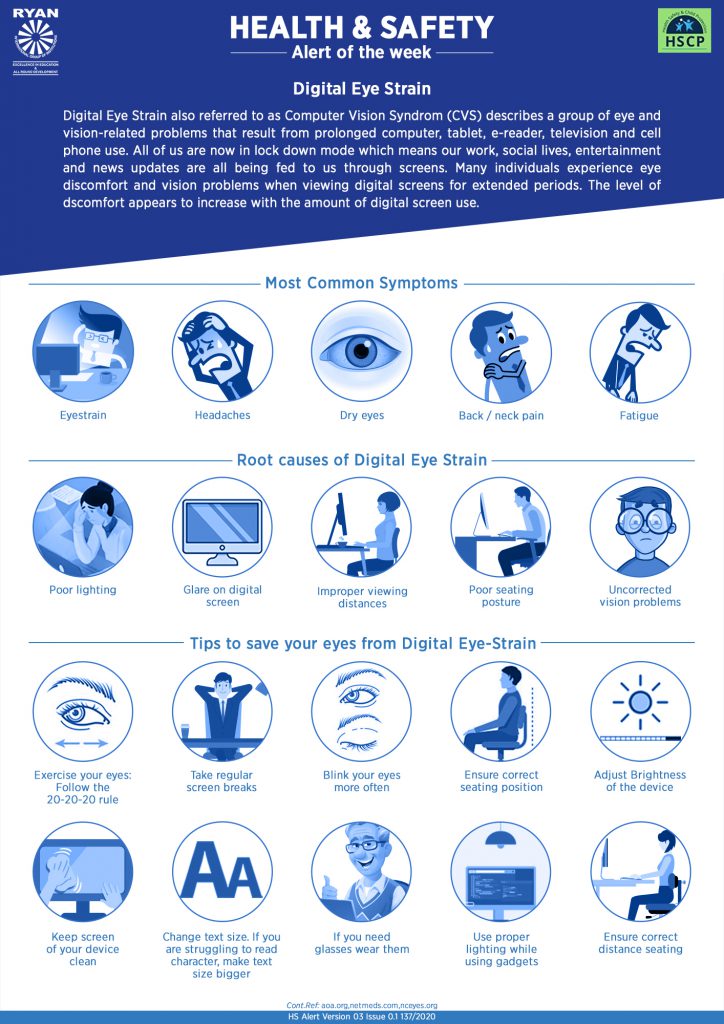
Computer user eye strain is a group of eye and vision-related problems that result from prolonged use of digital devices, such as computers, tablets, e-readers, and smartphones. It can cause a range of symptoms, including eye discomfort, headaches, and neck and shoulder pain. The American Optometric Association (AOA) defines computer vision syndrome (CVS) or digitaleyestrain as a condition that occurs when the eyes get tired from too much screen use or focus.
Causes of Computer User Eye Strain
- Blue Light Emission**: Digital devices emit blue light, which can cause eye strain and disrupt sleep patterns.
- Prolonged Screen Time**: Staring at screens for extended periods can lead to eye fatigue and discomfort.
- Poor Posture**: Slouching or sitting in an uncomfortable position can put strain on the eyes and neck.
- Insufficient Blinking**: People often blink less when working on a computer, leading to dry eyes and eye strain.
- Environmental Factors**: Poor lighting, glare, and distractions can contribute to computer user eye strain.
Symptoms of Computer User Eye Strain

- Eye Discomfort**: Burning, itching, or stinging sensations in the eyes.
- Headaches**: Frequent or recurring headaches, especially after prolonged screen time.
- Neck and Shoulder Pain**: Pain or stiffness in the neck and shoulders due to poor posture.
- Blurred Vision**: Difficulty focusing or seeing clearly due to eye strain.
- Dry Eyes**: Dry, irritated, or watery eyes due to reduced blinking or environmental factors.
Prevention Strategies for Computer User Eye Strain
- Follow the 20-20-20 Rule**: Every 20 minutes, look away from your screen and focus on something 20 feet away for 20 seconds.
- Adjust Your Display Settings**: Ensure the brightness and contrast of your screen are comfortable for your eyes.
- Use Blue Light Filtering Glasses**: Wear glasses that filter out blue light emission from digital devices.
- Take Regular Breaks**: Get up from your desk every 30-60 minutes to stretch, move around, and rest your eyes.
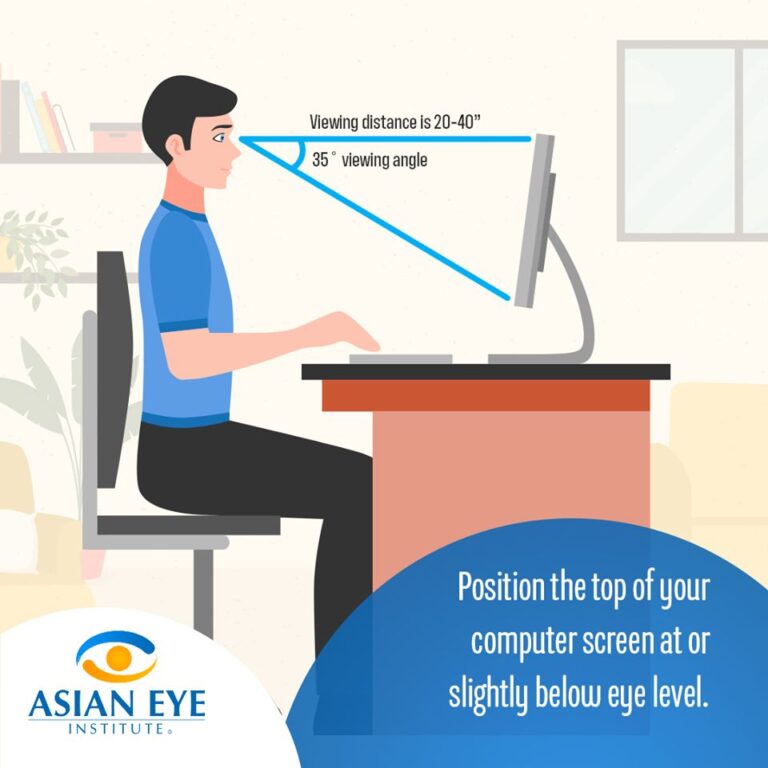
- Practice Good Posture**: Maintain proper posture while working on your computer to reduce eye strain and neck pain.
- Get Regular Eye Exams**: Schedule regular eye exams to detect any underlying vision problems that may contribute to computer user eye strain.
Conclusion
Computer user eye strain is a common condition that can be prevented or alleviated with simple strategies. By understanding the causes and symptoms of computer user eye strain, you can take steps to protect your eyes and maintain good eye health. Remember to follow the 20-20-20 rule, adjust your display settings, use blue light filtering glasses, take regular breaks, practice good posture, and get regular eye exams to keep your eyes comfortable and healthy.