How to Set Up Port Forwarding: A Step-by-Step Guide
Are you tired of struggling to access your devices or applications from the internet due to port blocking? Do you want to host a game server, access a home security system remotely, or run a media server? If so, you're in the right place. In this article, we'll show you how to set up port forwarding on your router, making it easy to access your devices and applications from anywhere in the world.
What is Port Forwarding?
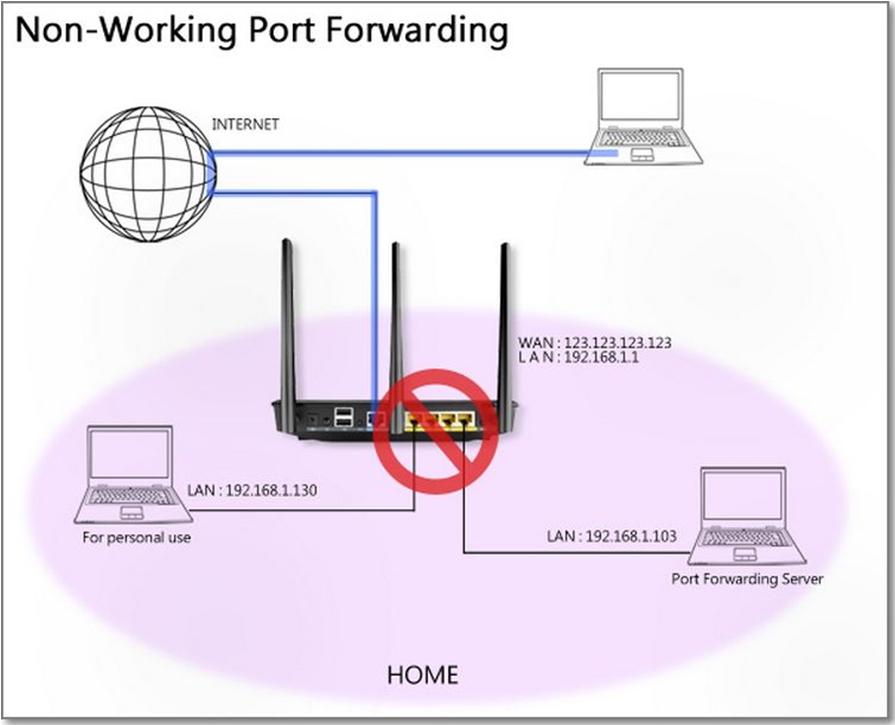
Port forwarding, also known as port mapping, is a technique that allows external traffic from the internet to connect to a device on a private network. This is achieved by forwarding a specific port on your router to a device's private IP address. By doing so, you can access your device or application from the internet, even if it's behind a firewall or NAT (Network Address Translation) device.
Before You Begin
Before you start setting up port forwarding, you'll need to gather some information:
- Identify the service's port number and protocol (TCP/UDP/both). You can look this up online or from the service's manual.
- Find the IP address of the device you want to forward ports to. This can be done by checking your device's network settings or by using the command prompt (Windows) or terminal (Mac/Linux).
Step 1: Access Your Router's Configuration Page
Open a web browser and type the IP address of your router's configuration page. This is usually 192.168.0.1 or 192.168.1.1. Log in with your administrator credentials.
Step 2: Find the Port Forwarding Settings
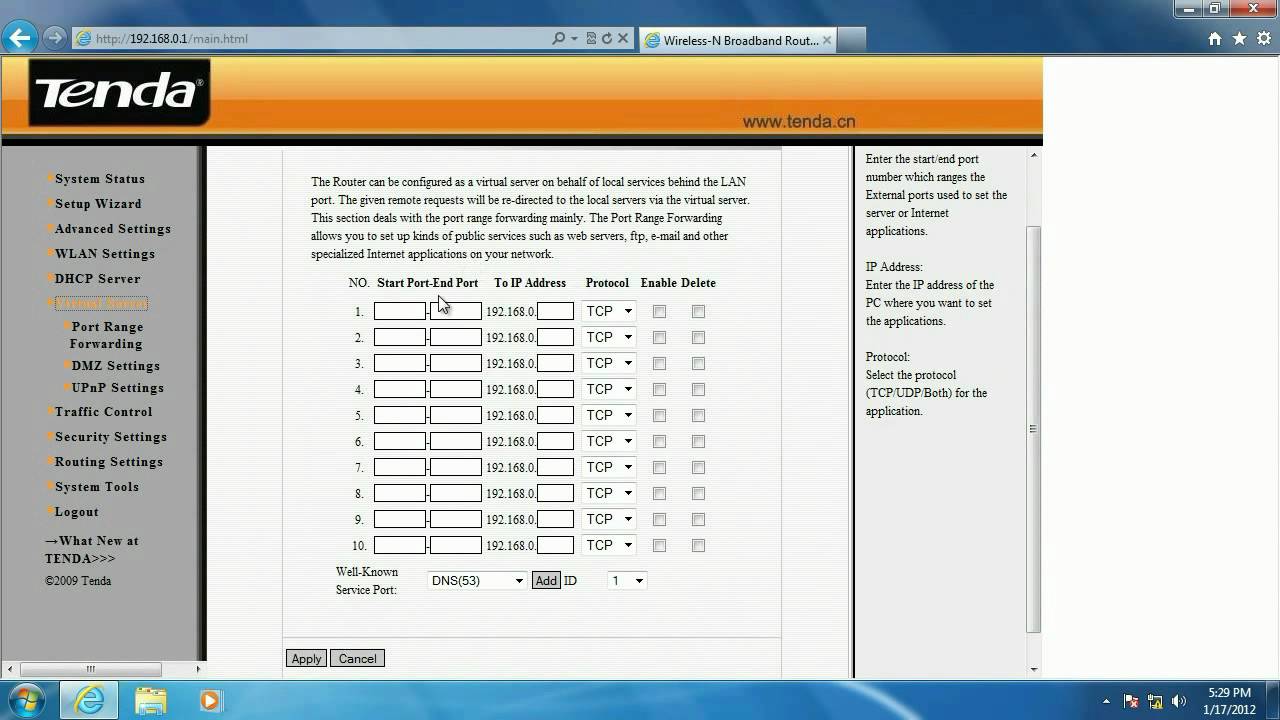
Once you're logged in, navigate to the port forwarding settings. This can be found under "Advanced," "Security," or "Gaming" depending on your router's interface. Look for a section called "Port Forwarding" or "Virtual Servers."
Step 3: Create a New Port Forwarding Rule
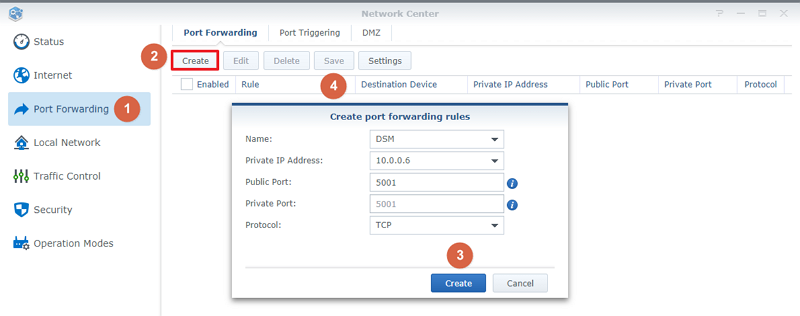
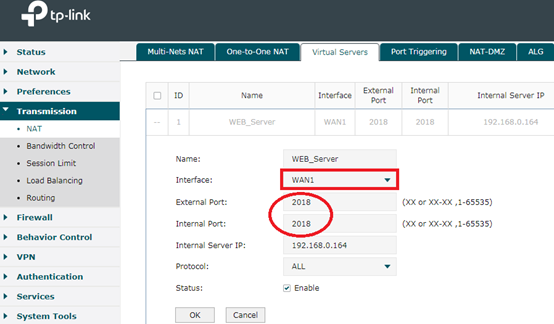
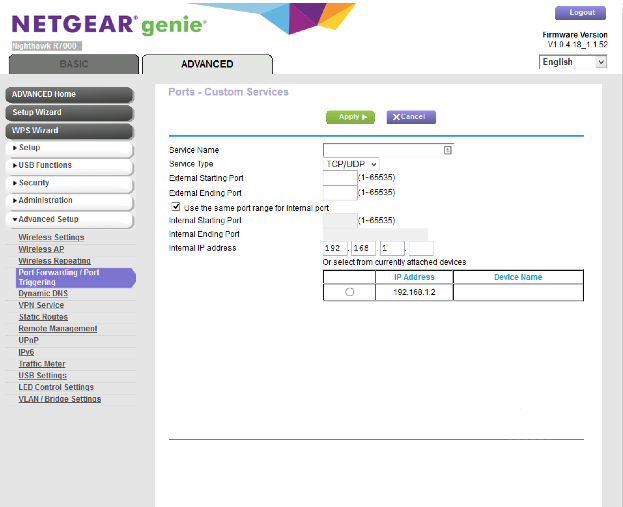
Click on the "Add" or "New" button to create a new port forwarding rule. Enter the following information:

- Protocol: Select the protocol you want to use (TCP, UDP, or both).
- External Port: Enter the port number you want to forward (e.g., 25565 for Minecraft).
- Internal IP Address: Enter the IP address of the device you want to forward ports to.
- Internal Port: Enter the port number on the device you want to forward (e.g., 25565 for Minecraft).
Step 4: Save Your Settings
Save your new port forwarding rule and restart your router. This will apply the changes and make your device or application accessible from the internet.
Common Applications and Devices That Require Port Forwarding
Port forwarding is commonly used for:
- Hosting a game server (e.g., Minecraft, Terraria)
- Accessing a home security system remotely
- Running a media server (e.g., Plex, Kodi)
- Connecting to a work computer while away from home
Conclusion
Setting up port forwarding on your router is a straightforward process that can be completed in a few minutes. By following these steps, you can access your devices and applications from anywhere in the world, making it easier to work, play, and manage your home network. Remember to always check your router's manual for specific instructions, as the process may vary depending on your device.
Additional Tips and Resources
For more information on port forwarding, check out the following resources:
- Google's Port Forwarding Guide
- Port Forwarding Tutorial by PCMag
- Port Forwarding on Wikipedia
By following these tips and resources, you'll be well on your way to setting up port forwarding and accessing your devices and applications from anywhere in the world.




:max_bytes(150000):strip_icc()/Capture-654904730af24ef38f76cfe4decc13f5.JPG "How to Port Forward on Your Router: Simple Guide")

![[Wireless Router] How to set up VPN server with port forwarding ... - ASUS](https://www.lifewire.com/thmb/R9zM4D-_oy9d1I8qNJVxsQO_LkE=/1319x747/filters:no_upscale():max_bytes(150000):strip_icc()/007-how-to-port-forward-4163829-837ef2f8d29545d9903fb9ff9d45b931.jpg "[Wireless Router] How to set up VPN server with port forwarding ... - ASUS")