Remove Malware from Smartphone without Resetting: A Comprehensive Guide
Malware on Android phones is an unfortunate but common issue that many users face. Malware can slow down your device, display annoying ads, steal personal information, and much more. Thankfully, in most cases, you can remove malware from an Android phone without needing to do a full factory reset and wipe all your data.
Why Factory Resetting May Not Always Be the Solution
While a factory reset may seem like the only solution, it can lead to data loss and inconvenience. This article will provide you with practical and effective methods to safely remove a virus from your Android phone without resorting to a factory reset, safeguarding your personal information and ensuring a seamless user experience.
How to Remove Malware from Android Phone without Factory Reset
Method 1: Identify and Delete the Infected App
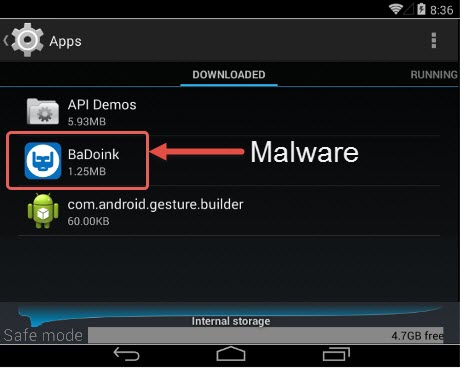
Assuming you know which app is responsible for the virus, you can try to delete it via the Settings app. This method is effective only if you are aware of the infected app. Otherwise, you'll need to use other methods to identify and remove malware.
Method 2: Remove Malware using Safe Mode
Reboot your device in safe mode to remove infected apps. Safe Mode is a stripped-down version of your operating system designed for troubleshooting. When your phone is in safe mode, third-party apps are disabled, which can stop malware from running in the background. This makes it easier to identify and uninstall apps you don't recognize or trust, especially if suspicious behavior is observed.
Method 3: Use Antivirus Apps
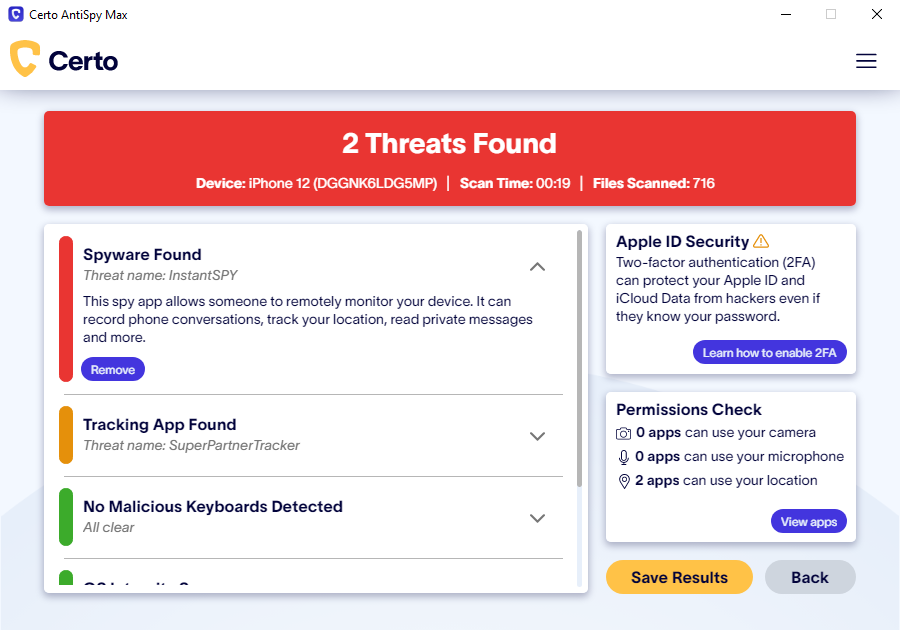
While a factory reset may seem like the easiest solution, it's not the only way to remove malware. You can use antivirus apps to scan and remove malware from your Android phone. Choose a reputable antivirus app, and follow the on-screen instructions to scan your device and remove any detected malware.
Method 4: Wipe the Cache Partition
Wiping the cache partition can help remove malware that has infected your device. To do this:
- Power off your device.
- Press and hold the Power button and the Volume down button simultaneously.
- Use the Volume down button to navigate to the Wipe cache partition option.
- Select the option and press the Power button.
- Wait for the process to complete.
- Restart your device.
Method 5: Perform a System Restore
If you have a system restore point, you can use it to restore your device to a previous state before malware infected it. However, this method requires you to have a backup of your device's data.
Tips to Prevent Malware from Infecting Your Android Phone
Stay Vigilant
Be cautious when installing apps, especially from untrusted sources. Always read reviews and check the app's rating before installing it.
Use Reputable Sources
Browse the internet using a secure browser and avoid clicking on suspicious links or downloading attachments from unknown sources.
Keep Your Device Up-to-Date
Regularly update your device's operating system and apps to ensure you have the latest security patches and features.
By following these methods and taking proactive measures to protect your Android phone, you can effectively remove malware without the need for a factory reset. Remember to always stay vigilant and use reputable sources when installing apps or browsing the internet to minimize the risk of future infections.
Conclusion
Malware can be a frustrating experience, but it's not the end of the world. With the methods outlined above, you can safely remove malware from your Android phone without resorting to a factory reset. Remember to stay informed, be cautious, and use trusted sources to prevent malware from infecting your device in the future.





![How to Remove Malware from Your Android Phone [Guide]](https://www.privacyend.com/wp-content/uploads/2017/04/android-safe-mode.jpg "How to Remove Malware from Your Android Phone [Guide]")